
Video recording
Audio recording
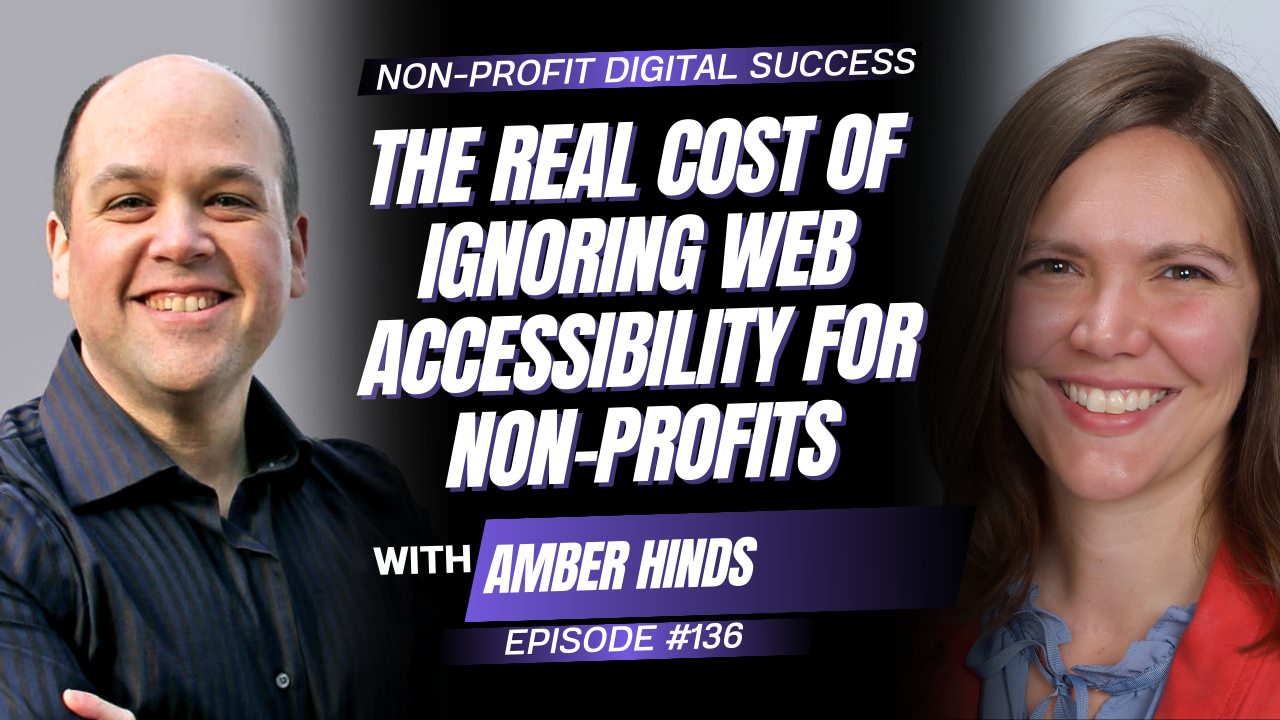
Welcome to this impactful solo episode of the Non-Profit Digital Success Podcast! 🚀
Join David Pisarek as he breaks down what non-profits really need to know about digital accessibility, inclusivity, and creating online experiences that work for everyone.
Explore practical ways to make your non-profit’s website more accessible, from WCAG 2.2 AA compliance and accessible forms to alt text, screen readers, skip-to-content links, PDFs, and donation forms.
David also explores why accessibility goes far beyond compliance, helping you strengthen donor engagement, improve SEO, prepare your content for AI-powered search, and reach more of the people your organization exists to serve. Tune in for practical ideas you can start implementing right away to build a more inclusive and future-ready digital presence! 💡
Mentioned Resources
-
- WCAG 2.2 Accessibility Guidelines – Review the accessibility standards David discusses for creating more inclusive digital experiences.
- Accessibility for Ontarians with Disabilities Act (AODA) – Learn more about accessibility requirements in Ontario.
- UserWay – Accessibility tools and website overlay solutions mentioned in the episode.
- accessiBe – Website accessibility technology and overlay tools discussed by David.
- Google Gemini – One of the AI platforms David discusses when exploring accessibility, content, and the future of search.
- Perplexity – AI-powered search platform mentioned in the episode.
- Claude – AI platform mentioned as part of the changing search and content landscape.
- Get a Free Website Audit from Wow Digital – Find out how accessible your non-profit’s website is and uncover opportunities to improve your digital presence.
- Book a Call with David – Get help with your non-profit’s website, accessibility, digital strategy, and next steps.




Episode Transcription
David Pisarek: Accessibility is more than compliance. It’s about creating a connection. Today, I’m exploring what non-profits truly need to know about inclusivity, the biggest misconceptions, and the simple changes that can expand your reach and strengthen donor trust. Let’s dive in and future-proof your impact.
Welcome to the Non-profit Digital Success Podcast. I’m your host, David, and in this episode, I’m going to be talking about accessibility, inclusivity, what’s required, what’s smart, and what’s actually a myth in a solo episode. No guest, just me here talking to you, and we’re going to be focused on practical guidance for you, the non-profit leader. And before I continue, I just wanted to mention that the podcast needs your help. If you find this episode or any of our others insightful, interesting, helpful, please like, subscribe, share, and comment. It really does help the podcast.
Thanks so much for joining me on this solo deep dive. I’m gonna just jump right in. So one of the questions that I’m asked is, why should accessibility and inclusivity be a strategic priority for non-profits, not just a technical or legal checkbox? And what I often talk about is: imagine you had a store, and the store had a security gate open, and people couldn’t get in.
When you’re dealing with accessibility, you’re actually putting a barrier in front of a lot of people. And if your digital presence, if your website, is not accessible and accessible-friendly, you’re actually cutting out and preventing a whole group of people from being able to access your content, your products, your services, and get help and support that they probably need that your organization provides.
So it really is about creating a bigger community, allowing people to participate, and allowing people to integrate with you.
Another question I’m asked is, what are non-profits actually required to do when it comes to digital accessibility, and where do most organizations misunderstand compliance? So there’s a worldwide consortium. They have created guidelines around accessibility. It’s called WCAG. To be fully compliant, there are different levels. There’s Level A, AA, and AAA. To be compliant in the United States, you need to meet AA compliance.
So WCAG 2.2 AA compliance. There are 2 guidelines out there, and it’s a little bit confusing. There are 2.1 and 2.2. 2.2 has been around for a little bit now, but 2.1 was just updated after 2.2. So take a look at both of those sets of guidelines. It’s important.
2.2 does supersede and does cover everything in 2.1. In Canada, there aren’t any real formal guidelines for the entire country. There’s, in Ontario, AODA, the Accessibility for Ontarians with Disabilities Act. That basically follows what WCAG 2.2 says to do for AA compliance. So that’s the standard you should be reaching for.
Now, what are the typical issues that come up? We do website audits. If anybody would like one, just go to wowdigital.com/audit, fill that out. We’ll do a free website audit for you.
Part of that audit is we look at accessibility components on your website. Can people— not everybody uses a mouse to surf the web. People with physical disabilities, they might use a keyboard, they might use screen reader software to be able to navigate your website. Can they access your navigation? Do you have a skip-to-content there? Do all the images on your website have alt text so screen readers can understand what the image is? If they’re blind, how do they know what an image is? There’s something called alt text, alternative text. You can specify in there what the image is. You need to describe it for them so that they can experience a very similar thing to somebody who is able to see.
That’s kind of the typical thing that we see. You have videos; you should have closed captioning. It’s really great if you have transcriptions. There are all kinds of other benefits to alt tags and transcriptions. You can get better SEO for your website if you have that as well. So there are lots of great benefits, in addition to being inclusive and helping those who need accessibility.
One of the other components is web forms, search fields, things like that on your website, making sure that they’re tabbable, that they can go from field to field, that they understand the labels are properly tagged so that the form reads out, if they’re using screen reader software, what the field is for. So imagine you were blind and you were using your keyboard to navigate, and it comes across a field. You don’t know if that field is for a name, for an email address, for a message. That’s where the form fields and labels come in.
When it comes to donation forms, this is a really big one. A lot of donation forms go way overboard. They can have like 35 fields to fill out. Just try to simplify it. You can build out personal profiles on people over time.
You can send out surveys asking them to complete more information. There are lots of ways to do that. You don’t want to have a barrier. I know that I find it cumbersome. So when you have a form on your website for donations or contact, you need to make sure that it’s short and just asking the minimal amount.
There are donation forms that I’ve come across recently, just a couple of days ago when I was on the call with a prospective client. When I looked at their donation form, it had over 20 fields. Do you really need all of that? Probably not. And a lot of these donation platforms- those are the forms that they have. It’d be great if you all take a look at your donation forms, then go to the company that built your donation system and ask if you can minify and remove all the extra fields you really don’t need.
In terms of PDFs, this is one that really irritates me. A lot of organizations will take a document, scan it in, save it as a PDF, and put it on the website. Well, the problem is, if you can’t actually select the text, then a screen reader can’t read it out to somebody. It’s a big problem. You need to make your forms, your flyers, all of that type of stuff. The text needs to be live text in the document. Same on a web page.
We’ve seen a number of organizations that will have a ChatGPT-generated flyer, and then they put it up on the website. They don’t put any alt text on it, and it’s just not accessible and not friendly for people.
One of the easiest things that you can do with your website is to have a skip-to-content link. And this is a big accessibility thing. So imagine again, you’re blind, you’re navigating based on what you’re hearing from the screen reader software. You go to a website; it says logo of Organization X, then it starts going through the navigation. It’ll go home, about, mission, vision, values, who we are, contact, donate, volunteer, ways to get involved, programs and services, program A, B, C, D, blah, blah, blah, blah, blah. And then it starts reading through the content of the page.
The user goes, ‘Oh, okay, I want to find out about this program.’ So when it gets to that navigation item, they hit enter, and it goes to that program page. What happens? Logo of organization X, and then it starts reading through the navigation again. And so they’re sitting there just like, ‘Oh my God. Like, let’s just get on with this.’
A skip-to-content button can be hidden on the page, but it’s available to screen readers so that when they get to a page, they can select it as the first link. It’ll bypass the navigation and take them right to the content. So very important to get something like that in there. Saves everybody time, and it’s really easy to implement. So highly recommend getting that in there as well.
There are these overlay platforms out there— UserWay, there’s AccessiBe, there’s a whole bunch of different WordPress plugins that you can get for free, for pay, etc.— that allow all this extra functionality where you can have a skip-to-content button just part of that. It’ll add it in automatically. You can adjust the contrast, do highlighting, and change all kinds of stuff like that. Those overlays are good, but they don’t actually solve the real root problem of accessibility on websites.
And a number of people I’ve spoken with recently have said those overlays are more cumbersome than helpful. So you want to make sure you’re connecting with somebody who knows how to resolve the issues in your website’s templates. Not just in the overlay. The overlay is good as extra features, and it goes way beyond the accessibility guidelines that you need to meet. But you really have to fix the main part, right?
It’s like going, taking your car to a mechanic because you’re hearing a little bit of a rattle, and the mechanic takes some duct tape and tapes something to the side so it doesn’t shake. It doesn’t actually fix the problem, right? It just kind of— Temporarily band-aid solutions. So you want to make sure that you get to the root of the issue and fix it there.
Now, when it comes to improving accessibility for donor engagement, conversions, SEO, AEO, and long-term growth, making your website more accessible isn’t just for people. It’s also for search engines, AI bots, and everything that’s coming and needs to get information about your website.
So the more accessible your website is, the more you’ll end up ranking higher in search, the more that you’ll show up in the Gemini search results at the top or in Perplexity or Claude or whatever the agent of your choice happens to be. So it really does help in that aspect.
In terms of getting people to— in the business side, we call it a conversion, right? Getting them to take some kind of action. So that could be signing up for a program. Filling out a contact form, subscribing, making a donation, whatever that happens to be, getting them to actually take an action. And one way you can track that is: did we get more email addresses, right? If you get more email addresses, you’ve got people converting, whatever mechanism you use to get that. If your website’s more accessible, it’ll be easier for people to fill out the forms.
You’ll have more people filling it out, and then you’ll get more people into your marketing list, which ultimately will help you in the long run because if you grow your marketing list, you’ve got more people to talk about or not talk about, but to talk to about your new service that you have or a big event coming up or, hey, it’s end-of-year giving, Giving Tuesday is coming up, right? So that you can, ideally, gain more donations.
In terms of accessibility and AI and evolution, what do I kind of see over the next—maybe it’s hard to predict; AI is changing so fast—but maybe over the next year to 2 years, is people are going to rely more on AI. You can’t really trust everything that’s on the internet, obviously, with the exception of this podcast, right? But, uh, people can make stuff up, post it online, and get into the AI stuff and be found. So the issue is really: are you trustworthy in your content, where the AI results will show you over another resource or another set of information that it has learned from?
AI doesn’t really create anything new, at least not yet. What do we need to do? We need to optimize our websites so that these bots, these agents, these platforms, the SEO can pick up.
Part of that goes back to the old-school thing: content is king. You need to be producing relevant content.
You need to be monitoring your analytics, both from Google— it’s like the big player in the space; it’s been sending traffic to your website for decades, uh. You need to also start monitoring the AI platforms. What are people searching for? Where are you showing up? Then you can keep producing more content. And if you produce more content, then you can be— and the content’s accessible- you can start pushing that to the AI bots, letting them know, ‘Hey, we’ve got new content, come and index it, review it, and add it into your lexicon and your database’ so that you can show up and be part of the conversation.
I think a lot of people, since probably March or April of 2025, have seen a steady decline in traffic to your website. That’s because Google introduced the Gemini results above all the regular results. It doesn’t show up for most searches, but if you ask a question, that’s typically where it’ll show up.
So, like, who is Organization X? Or if you’re looking at physical activity, how can I increase my physical activity on a daily basis when I sit at a desk all day? That’s where the AI results show up. And if your organization is involved in physical activity, you want to do the best possible thing that you can to show up in those results so that you can get in front of people. People aren’t really clicking through as much anymore, so you’re going to see a shift in traffic coming to your site. It’s not necessarily a bad thing.
If the metrics that you’ve been tracking for the last decade, the last 2 years, however long it’s been, have been the number of new visitors to the website, if you look, you’ll probably see a decline over the last year and a half or so because of the Gemini results.
Producing more content and making it accessible will also help you on the search side.
I hope this insight has been helpful for you around accessibility and inclusivity. Talked a little bit about the benefits on the SEO side, and I hope that you’ve been able to get some interesting ideas and pointers that you can then go and implement in your organization or have a conversation with somebody at your org so that you can start to move forward and work with the platforms, make it more accessible, make yourself more inclusive.
I challenge everybody to just take one thing from today, and my challenge for you in the next 24 hours is to take a look at your donation form and go to Google, search for free website screen reader, install— there are browser plugins or software, stuff like that— install it and try to do a donation form that you’ve got on your website. Try to make a donation. You don’t have to actually process a credit card or whatever, but go through the form and see how it is without using your eyes.
If you need any help understanding how accessible your website actually is, again, please head over to our site at wowdigital.com/audit to book your free website audit, and we will take a look at that and give you the report. Those reports are typically 50 pages or so. A couple this week that I did were over 60 pages, so lots of great insight there.
If you’re looking for help or support or strategy, just go to wowdigital.com/consult and book a call with me. It’s tied to my calendar. You’ll see my availability, and I’d love to have a conversation with you. We’ll walk through what’s needed, what the next move is that you need to make, and how to progress with it without feeling overwhelmed. So thank you everybody.
Thanks for joining me in this solo episode. It’s been great having you here on the Non-profit Digital Success Podcast. If you want any links or resources that I talked about, just head over to nonprofitdigitalsuccess.com.
Click on this episode for all the details. And until next time, keep on being successful!

By: David Pisarek
Last updated Sep 2, 2026 | Published on Sep 2, 2026



0 Comments