
Video recording
Audio recording
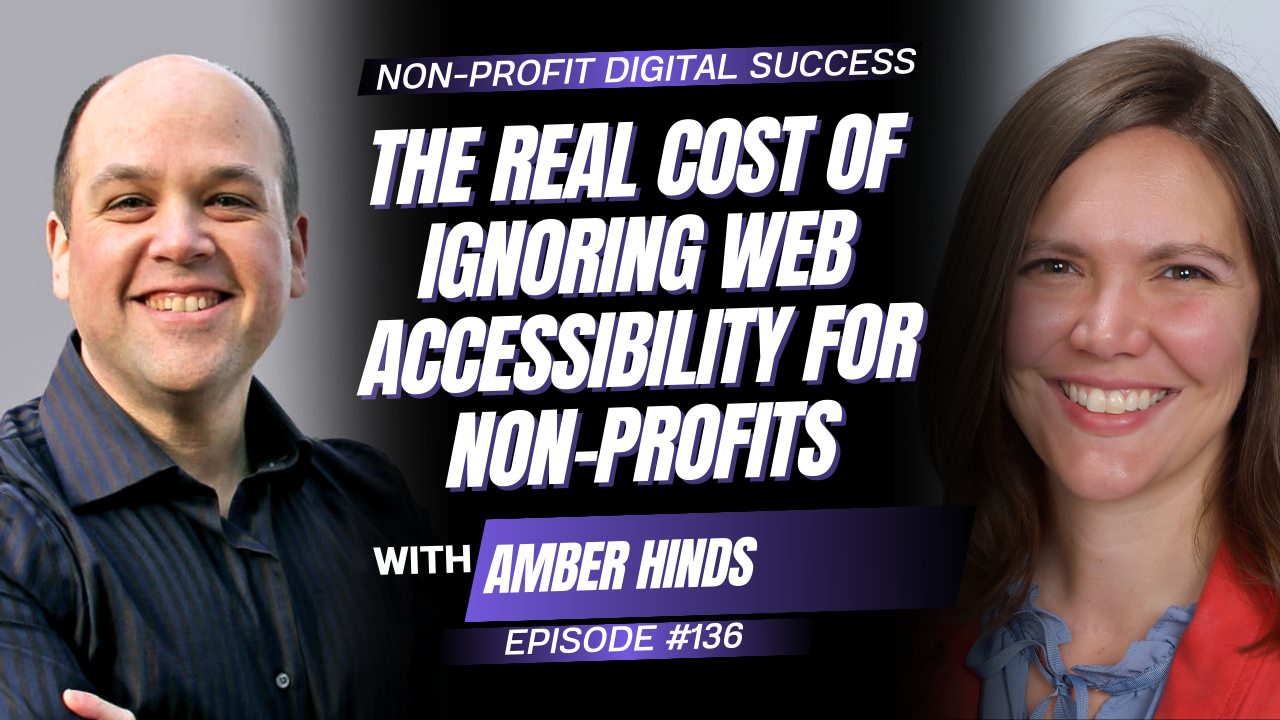
Welcome to this enlightening episode of the Non-Profit Digital Success Podcast!
Get ready to explore the world of digital accessibility and inclusion with our inspiring guest, Max Ivey, also known as The Blind Blogger.
We dig into why accessibility isn’t just a compliance issue; it’s a smart move for expanding your non-profit’s reach, improving SEO, and creating a better experience for everyone. Max shares powerful stories, practical strategies, and common mistakes non-profits make when it comes to inclusive design. From simplifying forms to understanding adaptive technology, this episode is packed with actionable takeaways to future-proof your website and demonstrate that your organization truly cares.
Mentioned Resources




Episode Transcription
David Pisarek: Wondering if your website is genuinely accessible to everyone? Max Ivey, the blind blogger, shares how improving digital accessibility can help your non-profit reach more people, boost engagement, and show that you actually care. Stay tuned and let’s make your digital spaces more inclusive and impactful. In this episode, we’re talking about all things around accessibility and inclusion with Max Ivey.
Max is known as The Blind Blogger, who is a trailblazer in the disability community and one of the first online business owners to openly share his journey with blindness. Since 2007, he’s been breaking barriers and educating others on digital inclusion. As the founder of The Accessibility Advantage, he helps organizations understand why accessibility isn’t just the right thing to do, it’s the smart thing to do.
Max, thank you so much for joining the show today.
Max Ivey: Well, thank you, David, for having me on the show. As I’ve been sitting here listening to your intros, I’ve been thinking, I’ve got to steal a lot of this stuff from my LinkedIn profile.
David Pisarek: Absolutely. Go for it. That’s why not, right? You’ve got the content, grab it and use it.
Max Ivey: It’s just things that occur to me. Basically, that was a less-than-straightforward way of saying, I appreciated your introduction a lot.
David Pisarek: My pleasure. Let’s start with your story. How did you get into and why did you decide to become an advocate and adviser like you are today?
Max Ivey: I didn’t start off planning on being where I’m at now. In fact, I grew up in a family of carnival owners and helped operate our family business for over half my life before my dad’s death caused us to go out of business.
My first website was actually helping people sell their surplus amusement park and carnival rides at the Midway Marketplace. I realized over the last four or five years, though, that ever since starting that first website in 2007, I have been educating people about accessibility. I have been advocating for building more inclusive websites, whether I knew it or planned on it or not. In fact, when I built that first website, I had to teach myself to code HTML because the internet was nowhere near as accessible then as it is even today. Of course, today, it’s nowhere near where it needs to be.
Most people are not aware of this, but, in general, the internet is about 5% of what is considered to be 100% accessible, and some people even put that number closer to 3%.
I, over the years, was helping other people whenever I used a website or an app that I had trouble with, I’d reach out to the owners, discuss my problems, offer solutions, and collaborate with them to find a way to overcome the obstacle of that particular moment. So, I didn’t plan on being here.
Four years ago, or possibly five, in 2021, Alex Sanfilippo of Podmatch invited me to advise him on making Podmatch more accessible. A year or so after that, AudioEye, which is a company in the enterprise level of accessibility, reached out on LinkedIn and hired me to start writing blog posts and contributing other content around accessibility, using my storytelling ability and my approach to accessibility and the fact that I’ve been doing it for so many years.
I got pushed in this direction more than actively going in this direction, but, the truth is, I am a long-time expert with a lot of real-world experience, and the fact that I’ve had to build my own websites gives me empathy for people on the design and development side of the equation because I understand just how difficult the challenges can be and how scary the idea of creating an accessible website or app can be for somebody on the development side. I feel like empathy because I had to do it, the experience, and then now, being recognized by businesses as the person they want to be their expert.
David Pisarek: That’s an amazing background that you’ve got, being able to bring the real world. “Hey, I need to build a website.” So, I understand the pain of having to fix these things in order to make it more accessible. I think there are a lot of people who are going to be listening to this episode and going, “Yes, that is very true.”
Max Ivey: Well, yeah, because people in the disability community, we often tell business owners: first, that we want accessibility yesterday or last week. We don’t want to give them the time to get up to speed with the issue, but, then, we tell them, “You have to do it our way, that our solutions are the only acceptable solutions,” when in reality, a lot of times we can come up with even better solutions if we will combine knowledge of the product from the developer or the owner or the founder with the experience of people like me who’ve had to live it.
I really feel like it’s that old expression about the picture on the side of the puzzle box. Often, we force people into those types of solutions without having a genuine conversation to figure out the best way to achieve the end goal. One thing I take a different take on this than a lot of people is that, to me, total independence, total accessibility, is not something we can achieve, and I’m not sure it’s even something we should desire.
I believe that there’s a place for done for you, done with you, and do it yourself within the whole area of accessibility.
I really wish that we would have more conversations with business owners and that we would also try to learn their language. You mentioned the fact that I’ve done it, had to solve my own problems, helps me better understand the business owner or the designer developer, and especially those people that are solo entrepreneurs or people that are starting non-profits that don’t have a huge staff or budget. These are the things that, like you say, will make them think, this is the person that can help me do this and do it in a way that isn’t going to terrify me or cause me to have sleepless nights.
David Pisarek: Absolutely. Here’s a question for you: Why should non-profits, charities, communities, and organizations care about accessibility? Can you talk, maybe, about the real impact of being more inclusive online as well?
Max Ivey: Sure. I like to tell people there are four main reasons why they should care about accessibility. Number one is the size of the disability community.
Before I give you numbers, I need to mention that whatever number we decide on, it does not include people who are aging and are living with the same challenges as somebody with a disability who refuses to consider themselves disabled. The numbers are much larger because people who are aging, older people, don’t tend to think of themselves as disabled, even though they are living with a disability or with some of the same challenges as the disabled.
It’s estimated that one in six people worldwide has a disability. You’re talking about 1.3-1.4 billion globally. You’re talking about 60, roughly a million people in the United States. You’re talking about within that 50 or 60 million, probably 20 million of those have vision loss, which is one of the most challenging things to design accessibility for, in my opinion. We have these huge numbers, but those numbers don’t count the friends, family members, coworkers, social media followers of somebody with a disability.
The reach, as I’m sure you are aware, with a lot of things in the marketing side of what we do, the reach is much bigger than those raw numbers just because the people that have been exposed to someone with a disability, they have an interest, and so the numbers are huge.
Beyond the numbers, there’s the loyalty factor because we tend to be more loyal consumers or more loyal followers of content. We want to support the people who are willing to make an effort to see them succeed, so we will follow them and help them in good times and bad times. The third part of that is we will advocate. We will promote for businesses, brands, and non-profit organizations that we have an interest in, and we will do that without being asked to or paid to. The numbers and the reach of the market are one of the more important reasons why people should care.
The second one, is Search Engine Optimization. Search engines, such as Google, Bing, and Siri, are continually improving their algorithms to detect whether users are adhering to the basic minimum standards outlined in the Web Content Accessibility Guidelines (WCAG). They will give credit to those who are investing in things like proper heading structures, correct labels for buttons and links, and the alternative text descriptions for images. I have yet to meet a website owner of anything who doesn’t want more organic traffic to come to their website. Search Engine Optimization and getting search engine love for accessibility is number two.
Number three is that, whenever you improve accessibility, you also improve the User Experience for everyone else. One of my favourite examples of this is when people add the option to invert text colours and switch them from black on white to white on black. Not only does that help people with some vision loss who still use screen magnification, but it also helps people viewing your website or your app in high or low light who don’t have a vision issue. There are many things where you improve accessibility, and you improve user experience.
Then the fourth thing, which I feel like is really important to non-profits, is the fourth most important part of this is, that you give yourself the opportunity to add people to your team who have a disability. In general, people with disabilities, because there’s such a high rate of unemployment, because so few people value our contributions. We tend to be loyal, dedicated, positive, and optimistic employees, and we come to the situation with the experience of being creative problem solvers because we have to. The only way we can survive on a daily basis is to be our own Einsteins a lot of the time.
The reach of the audience, Search Engine Optimization, the improvement of User Experiences for all your existing customers or followers, and being able to improve the quality of your teams. Those are four great reasons, in my opinion, why everybody should care about accessibility.
David Pisarek: I think those are really great. One of the things that I talk about often is, if your organization isn’t accessible, then you’re not actually properly serving your constituents. They’re local, they’re national, they’re international. It’ll be like owning a store and having a locked gate in front of it. People won’t be able to get in. It’s a big problem. Like you mentioned, Max, one in six people.
There are a lot of people who might want to connect with your non-profit or charity, and they might go to another one because their platform is more accessible.
Max Ivey: I would agree with you.
I like your analogy of the lock gate, but I think it’s probably more like a crack gate, more like you can see that other people are going through it, but you can’t go through it for whatever reason. However, yes, you are turning people off, and it is a statement about how much you care. You mentioned truly caring in the intro. Whether or not your website, your app, is accessible, or your email newsletters are accessible is definitely a representation of how much you care.
You said something else just now. You said, go to another organization. There are very few organizations, there are very few businesses either, that don’t have some sort of a competitor, that there isn’t a second, third, or 10th option someone can go to. I would imagine right now, as many ads as I see on my TV from organizations trying to raise money, that the competition for money and for volunteers right now is probably more acute than it’s been in a while.
David Pisarek: Yeah, given the state of the current sitting president and changes that are happening, whether you’re pro him or not, it doesn’t really matter. There are things that are happening, funding being cut from organizations, and every dollar really does matter when you’re in a position of helping others.
Every dollar that you lose from programs and services, you need to make that up if you want to continue the same level of support. If people find it difficult to connect with you, to make a donation, or to reach out, or be a part of, or to share your content, or to even read what you’re doing, you’re setting aside potentially some risk for your organization.
So absolutely. Max, you also mentioned SEO. I like to call it Search Everywhere Optimization instead of Search Engine Optimization, because we do have AI platforms out there. You can do voice-controlled stuff with them. There are Alexa devices. I hope that doesn’t activate the one on my desk. No, we’re good. There are Google devices, and we have Siri.
Max Ivey: We’re good on this end, too.
David Pisarek: Search everywhere. We want to be found by search engines. As businesses, I want my agency to be found. For our clients, we want them to be found because the search world is changing. People are seeing right now in Google, you’re seeing Gemini results above ads. People are going to Perplexity. People are going to OpenAI. They’re going to Claude. They’re going to all these other platforms and searching in there. Chances are, they’re going there because they don’t have to see the ads. Google’s engine, Bing and Yahoo, I believe they use the same back-end engine.
If the AI platforms, if they can’t access your content, then you’re not going to be found as easily. So, do you want to dig in a little bit, Max, around how improving accessibility actually affects rankings?
Max Ivey: It’s interesting. It sounds like you know more about it than I do, especially in the area of artificial intelligence. But yes, the ability of the search engines to be able to navigate your website and determine whether or not your site is meeting the minimum accessibility guidelines, and they have improved the algorithms.
I tend to think you’re right that people will be using these other options to avoid the ads, but I also think that other options it’s, the artificial intelligence options, at least in the short term or probably for a while now, are going to be depending a lot on the work already being done through the established search engine platform. Being able to be found and navigated, the only way I can see that these search engines can determine this is by examining your code, and there’s a specific way you would add a heading or include a description in a link or button.
I would say the good thing for most business owners or non-profits is that a lot of the stuff that they can check is stuff that you can fix or create very simply on your own. It’s not like you would be required to have an advanced level understanding of coding or of how to use your WordPress or whatever content management system you may be using.
I would say the best way to know this would be to, one, visit your own website and see how easy or difficult it is for you to navigate it, because while I said improving accessibility also improves user experience. I find that the people who focus on the user experience will sometimes, often, eliminate some of the accessibility issues because they’re focused on the total user experience. But as far as how to make sure the search engines can navigate your site, I would say use the WCAG, use w3c.org as a guideline. I would say try one of the free website checkers like WAVE, Audioeye, a company I mentioned before that I create content for, they have a free checker on their site, it’ll get you signed up to their email list, but most of us expect that at this point. That’ll allow you to check their site.
Of course, as part of what I’m doing when I do these podcast interviews, I offer to check the first page of people’s websites, so like the homepage, which is a lot of websites, especially small organizations, the homepage is 70% of the website. But I would say, as far as how to make sure Google and these search engines will be able to understand your site, I would say just start with the basics of the Web-Con Accessibility Guidelines and go from there.
If you have the opportunity to connect with people who have disabilities, whether that’s through a formal arrangement like a non-profit or an informal arrangement like a social media group or local meet up type groups, then anytime you can find the opportunity to bring in new eyes that may live with an experience of the problems of a particular disability, is going to help you know more about making sure your website can be seen by everybody, as you mentioned.
David Pisarek: From your perspective, what are some of, maybe, the biggest missed opportunities that you see when it comes to accessibility for non-profits?
Max Ivey: Missed opportunities… I would say just assuming that people with disabilities cannot contribute. I was actually asked this just a few days ago about some of the most common misconceptions about people with disabilities. One of the most common is that we don’t have any money, and if we have money, we don’t want to spend it. Yes, and that’s probably because of the high unemployment rate and how often we talk about the unemployment rate.
People assume that there’s no money in the disability community, no matter how many there are in the community living with the challenges of a disability. There are many people who do have a disability that also have money to spend or invest, who do have causes that they care about, and who will be willing to support those causes financially.
Organizations may not be targeting them, may not be reaching out to them, may not follow up with them in the same way they would follow up with them if they didn’t know that this person had a disability.
So, the attitude around potential investment or participation from people with disabilities, and that extends to volunteering. With 70-75% unemployment, many companies have yet to realize our value. This community, my community, could be a great source for the volunteers that you need to do a variety of tasks, whether those be online or in-person or a combination of both. There are a lot of talented, highly skilled people with disabilities who still don’t have employment.
I would say, underestimating the pool of talent and not targeting people with disabilities when you’re trying to fill the roles within your organization is another thing that’s a product of a misconception about the value or the potential of people with disabilities, whether we’re talking about financially or we’re talking about skills and abilities. I would say that would be a misconception or a place where a lot of non-profits are missing out when it comes to people with disabilities. We do have to remember that when we’re talking about people with disabilities, we’re not just receiving the results from our interaction with them, but how we treat people with disabilities will determine how people who care about them feel about us as an organization or as a company. I would say that would be a missed opportunity based on a misconception.
David Pisarek: I think those are all very important components for non-profits to think about, and not just non-profits, but any business.
Honestly, as a business owner, I don’t care if the person I’m hiring has a disability or not. I want the best person for the role. If that person has a disability, that’s fine with me, right? Whatever it is. To me, it doesn’t matter, but not everybody feels that way. Take a look at your organization and consider how people with disabilities can contribute, get involved, and serve as advocates for you.
Max Ivey: Yes, it’s a great way of looking at it.
One final point about employing or recruiting people with disabilities is quite often the desire to have us is sincere, but the bureaucracy in place is not able to handle people with disabilities. Let’s just say you’ve been trying to hire people with disabilities, or you’ve been trying to recruit us as volunteers, and it’s not happening, you may want to look at your onboarding process. This may be another place where accessibility in a website is getting in the way because the process to connect with whoever is in charge of a particular aspect of your organization may not be straightforward, may not be smooth, or may be difficult to navigate.
Quite often, people assume that people like me can have access to a mouse like other people do. So, sometimes just simply making sure that your website or app is built around keyboard navigation first is a great way of removing roadblocks that may be keeping you from receiving contributions, investments, purchases on the money side, or volunteers and employees, team members on the personnel side.
These are opportunities that could be being missed, and it’s probably more of an assumption than anything else, which is one thing I always like to make sure I talk about, and that is most people with disabilities, we don’t get up in the morning thinking that the world has it out for us, that the reason why websites aren’t accessible and people aren’t hiring us is a vendetta. We assume it’s just a lack of understanding.
I appreciate the opportunity to talk about some of these issues with your audience and help them understand both the benefits of accessibility and some of the simple things they can do to improve it, such as keyboard navigation, heading structure, buttons, links, and alt text.
David Pisarek: Interesting. There’s all kinds of different technologies that exist to help people with disabilities.
I remember, probably about maybe a year ago, on one of my webinars that I was running, one of the attendees had a Braille reader, so it was actually converting everything that I was saying, and once, he had explained to me, “Hey, this is the technology I’m using.” I actually approached my webinar a little differently so that he could get a full understanding, because there was a visual component that wasn’t coming through.
That really impacted me, and I’ve been trying very hard to make sure that the webinars and the workshops that I’ve run since and the presentation that I’ve done, are more accessible so that somebody doesn’t have to send me a message to say, “Hi, I’m using this technology.”
Max Ivey: I have a similar experience with a woman in a meeting who has a cochlear implant, which is a device that allows people who are hearing disabled to be able to hear. It had to be explained to me how that affected her interaction in our meetings. Also, since we had a deaf person in our meetings, she explained to me that when you’re on Zoom, you have to make sure that lighting is such that the camera can actually pick up what everyone is saying so that it can be transcribed and closed-captioned automatically by Zoom or Google Meet or whatever platform you’re on, because most of the major ones offer that auto closed-captions. I was the one getting called out because I had a reflection from a light in another room that was preventing Zoom from captioning our conversation. We all have things like this to learn.
As far as doing webinars, one thing I would say to anybody who’s watching us now who does webinars or who does one-way presentations such as longer videos, if you’re going to have video elements on the screen, especially if you’re going to use a slideshow, you want to make sure that that stuff is accessible to people who use screen magnifiers and screen readers.
But you also, whenever possible, you want to make it available in advance of the actual meeting so that they can review that information and have it with them or have it understood by them before they experience the rest of your presentation. I told this to somebody a while back who puts on events, and he said, “Mike, that’s a great tip as far as accessibility.” He said, “But you know what else that does?” I said, “No. What does that do?” He said, “Well, just think, if more speakers gave out their slides before the event, more of their audience would be focused on the speaker and not trying to pay attention to all the slides we’re zoomed by.”
David Pisarek: Yeah, there’s a lot to be said for that. As a little side note, I opt for slides that have less content on them because I want people to be paying attention to what I’m actually saying and delivering, versus trying to read 34 eight-point bullet points. I’m sure we’ve all been there, like death by PowerPoint, right?
Max Ivey: Yes, exactly.
So that’s a great decision on your part; that’s also something that applies to websites. Any information that doesn’t need to be communicated can be removed, which improves the lives of people with disabilities because, in general, if we have to use adaptive technology, it will take us longer to review the same information that it takes somebody who doesn’t have that disability. Anything you can eliminate, whether that’s text on a slide, text on a website, number of links on a page, if you don’t need it to convey your point, your message, to either make a sale or trigger a donation or get somebody to sign up to you. If you don’t need it, then remove it.
That, actually, in my opinion, is something that needs to be talked about more as far as accessibility goes, because simple design, a minimalist approach, eliminating superfluous information and other media, you get rid of the stuff you don’t really need. That really helps people with disabilities as much, and I think even more so, than what the accessibility guidelines would tell you as far as the minimum things that need to be on the website.
What’s that old phrase: ‘Keep it simple’? It applies, it’ll continue to apply, and it really helps people with disabilities.
I’m really proud to hear that you listened when somebody approached you because not everybody will, and that you took what I consider to be an appropriate step to improve participation in your webinars by people with disabilities going forward.
David Pisarek: One of the things you mentioned, and it’s a pain point for me, is websites and keeping them simple. Let’s have the minimal amount of information that you need to really convey.
I think one of the issues that I’ve seen with a lot of our clients as well, we’ve done over 570 website audits of non-profits, that we keep seeing over and over and over, are donation forms. Oh, my Lord. Asking for their first name, last name, mailing address, date of birth, if they have any siblings or spouses, the age of their children, if they have children, their blood type, why not just ask for anything and everything? Let’s simplify these forms. That’s the first layer for everybody. That’ll help everybody.
But I know from the technical side, because we do websites, that there’s certain things that we need to do with forms to make them more accessible. From your standpoint, what are some common accessibility mistakes around forms that you’ve seen?
Max Ivey: I love that you brought up forms because in my opinion, the forms… Well, it’s not just my opinion. The forms of the lifeblood of any website, whether it’s a passion project or a business, I don’t like to be an easier of a person, or I don’t like to tell people this is the only way you can do something because I’ve mentioned before, sometimes the other person’s solution is better than mine. When it comes to forms, I would say you would want to do either or one or both of the two things I’m fixing to mention:
One approach is to eliminate anything that doesn’t necessarily have to be in the form, because for most people, the form is just going to be a first step. Someone’s going to have an email exchange or get on the phone or Zoom with them after they get the form, or they’ll get a series of emails and reply to them, so the form doesn’t have everything in it. The other option, though, is if you feel like you need all that information, break the form up into more than one page or more than one screen, because then, you make it a lot less likely that I will make a mistake, that I will then have to figure out what did I not do, what did I do wrong?
So that I can press ‘Submit’ and move on to the next step. If you need a long form, break it up into more than one piece. Forms need to have something that makes it obvious that I’ve either done it correctly or incorrectly. The instructions for each field need to be clear.
I’d say for most people, you’re not using enough words. Subtlety doesn’t always work well with people using adaptive technology.
Really, it goes back to something more basic than that, and this is a little harder to explain, but there’s a concept called a tab loop. Essentially, this means that once a form is engaged, the cursor should not be able to leave the form without either pressing the submit button or the close button. That keeps the cursor and me listening to whatever I’m trying to do from escaping the beginning and end of the form and ending up out in the website proper. You want to make sure that once a form is triggered, that I can’t get out of that form without other pressing submit or closed, and that both of those buttons are made very obvious.
Second, most people with adaptive technology navigate forms by using the tab and shift tab keys. You want people to be able to easily go from one field to the next. When I land on the next field, it should announce what the field is, what information it requires, and in what format I should provide it if the format is unusual. For example, if you don’t want dashes in my telephone number and the field is labelled ‘phone,’ it should include a description that indicates no dashes. Those are things with forms. Really, make sure you test your own form.
As I’ve been talking about this more and more, I’ve run into business owners or podcasters who are business owners or who are advisors to website builders like yourself, who are like, when the business owner actually went and tried to submit their own form, they realized just how much of a mess it was. I talked to one guy who was part of a furniture company for years, and he said just before he left, they realized they were losing tens of thousands of dollars a year because their form wasn’t just not accessible. It wasn’t usable by people who had absolutely no disability. Test your own form. Have other people test your own form. I won’t build a form for any of my own websites without signing up for it first myself. Those will be the things I would say with forms.
Once I finish a form, I shouldn’t have to guess as to whether or not the form has been finished and accepted. There should be a notification, a text under a heading. It should be really clear that I’ve completed the form. With Google Forms, it’ll thank me for completing the form, and then there will usually be a button that allows me to submit another if I like. These are the things that frustrate somebody when they have a disability: Did I do it right? Did I finish it? Did they get it? Am I ever going to hear from them? Building confidence in people as they complete your forms is really important. I would say if you can make the form shorter, do it. If you can’t, break them up.
I would advise against using anything really fancy. Now, if you’re using one of the top forms builders like Google Forms, for example, and you want to put a select box or a radio select box or a tab, and you want to include those things, then that’s okay. But I find the less bells and whistles you use in creating your form, the more likely it is I can complete it without any issues.
David Pisarek: Over the last two days, there have been three websites that I’ve gone to, and when I click a link in the navigation, nothing happens. It’s clickable. The cursor changes to the hand, but absolutely nothing happens. And one of the pages I was on, actually earlier today, I clicked on Contact, and it didn’t do anything. And the page was a one-page site. And then I’m scrolling through, and at the bottom, there’s a section that says Contact Us, and there was a button there. Perhaps the section was titled ‘Get in Touch,’ and the button said ‘Contact Us.’ When I clicked it, nothing happened. There was an arrow on it, everything.
So, yes, you need to test the things you’re doing from a logical perspective. It does what the users see or have access to, make sense for what you want them to do. And if it doesn’t, that’s like an easy fix.
Max Ivey: Yes.
David Pisarek: It’s important, I think, to your point, let’s keep things simple. Follow the KISS methodology. If a 10-year-old can do this, then chances are anybody coming to your website will be able to do this thing. You’ve got to test it.
I know I’m so fed up with filling out forms and them not going through or having an error, or when you submit it, the form disappears. There’s no thank you message or anything. That for at least 10 years, whenever I fill out a form, if it’s like, Oh, I have a problem with my phone and I need to contact Apple or whoever, I will copy and paste everything that I have typed in, in case the form fails, then I don’t have to retype it all and forget.
Max Ivey: Well, I’ve even seen forms where the form will tell you that this form is going to time out after a certain period of time, so you really should complete your answers and then copy and paste them in here when you have all the information collected. I’ve seen that on speaker applications, actually.
Then you mentioned having to click two buttons to contact somebody, and then the second button not working. Why would you want to create two buttons? These are the things where the more you require somebody to do, the more opportunities there are for accessibility not to take place and for you to lose somebody along the way. I mean, forget about accessibility. Just marketing best practices would be contacting you as one of your top goals with your website. You wouldn’t want me to have to go through more than one thing in order to contact you.
I recently applied for a speaking event. I’m not going to call anybody out. I have run across forms for events run by disability-based organizations, and the forms were no better than the average forms on the internet. It’s a thing that can definitely frustrate you, aggravate you, and make you angry.
There is one I am going to mention because it shocked me. I recently did a lunch and learn talk on accessibility for the Austin chapter of the American Marketing Association. I was encouraged to submit myself for membership, which is available to anybody, pretty much, who wants to join and is willing to pay the fee.
I went to their website, and I was amazed by how complicated the submission form was, including the use of tabs in a submission form. For anybody who doesn’t know, basically what happens is when you select a tab, it displays a whole other screen on that screen. There were six tabs involved in completing the application, and I never got past the first one because even the first tab was not accessible. I couldn’t navigate my cursor to the field and have the information stay where I wanted it to go. I’m like, this is embarrassing that a national marketing association would have such a horrible form, but they did.
I find it interesting that sometimes people in the disability field will have bad accessibility. Sometimes people in marketing, design, and development will have bad content as well. All we can really do is worry about the stuff we create for our own businesses or non-profits and try to do our best, and then do what David did, what you did, David, which is when somebody comes along and says, “Hey, this is not what I need. This doesn’t help me because of my disability and the technology I’m using.” You listen to them and you go, “Well, how can I do better?” This is what we have to do.
I would say one thing to people who have disabilities: I wish more people in my community would reach out to business owners and non-profits and go, “Hey, I would really love to use your site, but I’m having this particular issue with it.” I can’t tell you how many times, even now, and I’ve been online since 2007, so this is 17-18 years. Can’t tell you how many times, even now, I reach out to a business owner and I want to talk to them about challenges I’m having with their website, and they will tell me that they have never heard from a consumer before who had a disability. That was the first one to ever reach out and go, “This could be better, and this could be better. This is it could be better.”
I really wish people with disabilities would reach out to businesses and non-profits more and explain in a positive, non-threatening manner what it is we need and why we want and need it. It’s really a collaborative thing. We need more businesses and non-profits to care about accessibility, but we need more people with disabilities to be willing to lead the way and help more people understand what they need to do, what the most important things are, and why.
We tell people a lot, “Well, you need to do this.” “Why do I need to do it?” “You need to do it because.” We explain the challenges and the adaptive effect of knowledge that a particular thing is designed to help. We have a much better chance of people listening to us. That’s why I talk about keyboard navigation, because most people don’t know that we don’t have access to a mouse. Once I explain to them that I don’t have access to a mouse, then they understand why I’m asking for keyboard navigation first. It’s a two-way street. We have to educate. People have to be willing to listen like you have been. Those people who are willing to show that they really care are going to be the ones who succeed in the long term.
David Pisarek: Absolutely.
Max, these have been some amazing insights around accessibility, inclusion, how to help people’s websites, and just being more open to helping serve those that need support. I hope everybody listening has been able to get some great advice and some pointers from you from our conversation. I want to put you on the spot for a moment, and I want to issue everybody listening to this a challenge, something that you want them to do in the next 24 hours of listening to this episode.
Max Ivey: I would say in the next 24 hours, I would like people listening to visit their own website and look at every item on their homepage and think to themselves, would this be something that would be easily understood, or is this something that would be confusing? Are there items on this homepage that don’t need to be here? Is there text that is confusing or doesn’t need to be here? That’s what I want them to do. I want them to look at their own website. I want them to use their own submission forms.
If they want to go for bonus points, use one of the free website checkers like WAVE or AudioEye. Of course, I don’t want to forget that I am available to review their homepage. What would really be cool would be if they reviewed their homepage and then they asked me to do it, but they were like, Max, I already know that this, this, and this need to be fixed. I’d love for this to be a Ha-Ha experience for people as they view their own websites.
Of course, if they want to get my opinion on where they’re at with their website, they can go to theaccessibilityadvantage.com.
David Pisarek: Amazing. I was just going to ask, if anybody wants to get in touch with you, what do they need to do? You mentioned theaccessibilityadvantage.com. That’s awesome. And love your offer of the free accessibility homepage audit evaluation that you’ve got.
Max, thank you so much for joining me on the show today. It’s been great having you on the Non-profit Digital Success Podcast. To everybody listening, if you’re interested in the resources, the links, etc, that Max mentioned during the episode, just head over to our podcast page at nonprofitdigitalsuccess.com.
Click on this episode for all the details. We have a full transcription there as well. We’re trying to make this as accessible as possible.
So until next time, keep on being successful!

By: David Pisarek
Last updated Jul 10, 2026 | Published on Jul 15, 2025


0 Comments