

Video recording
Audio recording
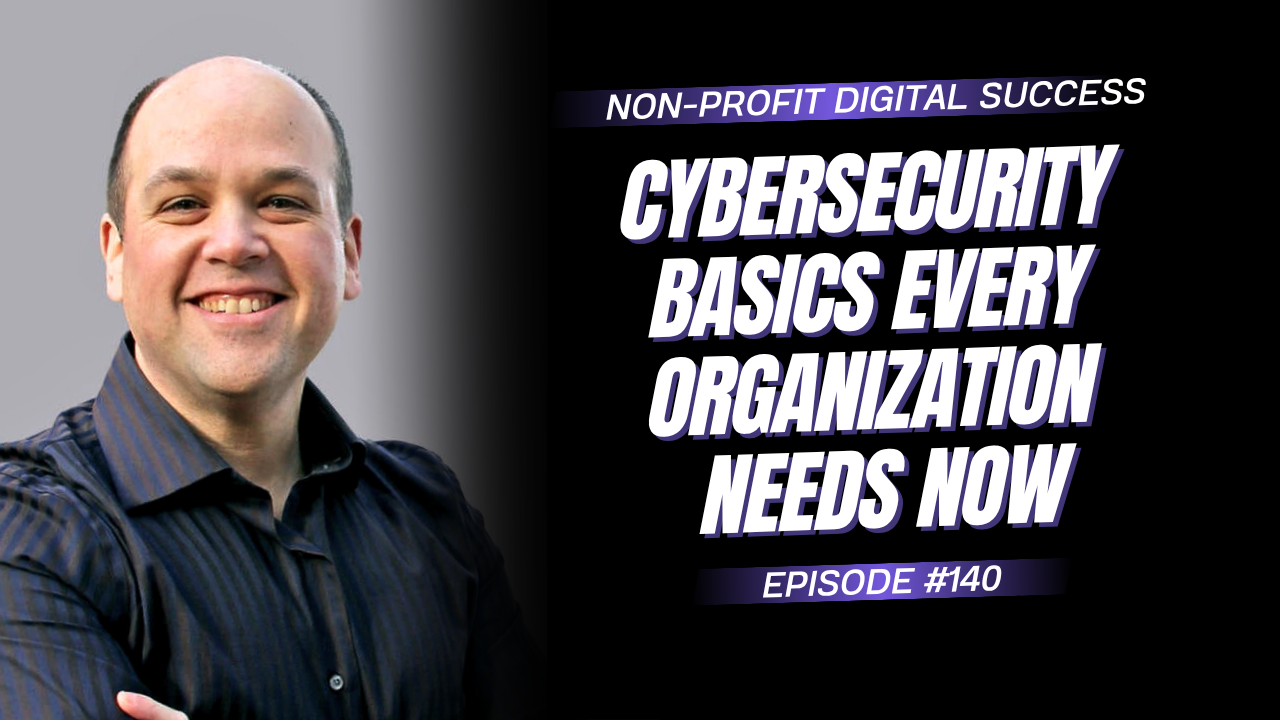
Welcome to this essential episode of the Non-Profit Digital Success Podcast! 🔐 October is Cybersecurity Month, and David Pisarek is diving into the website security practices every non-profit, charity, and association should have in place.
From outdated plugins and software vulnerabilities to malware, backups, monitoring, two-factor authentication, and cyber insurance, this episode walks you through practical steps to better protect your website, your data, and your organization. David also shares how Wow Digital approaches website updates and testing, the tools you can use to monitor your website for potential threats, and what your team should have in place before a security issue happens. Tune in to learn how to strengthen your website security and get greater peace of mind knowing your digital presence is being properly protected. 💡
Mentioned Resources
- MightyNPO – Affordable websites for non-profits and mission-driven organizations
- WordPress – Content management system used to build and manage websites
- Wordfence – WordPress security, malware scanning, firewall, and vulnerability monitoring
- MalCare – WordPress malware scanning, monitoring, and security remediation
- IFTTT – Automate security alerts and notifications across email, text messages, and other platforms
- Google Analytics – Monitor website traffic and identify unusual changes in visitor activity
- Cloudflare – CDN, website traffic monitoring, DDoS protection, and security tools
- Amazon CloudFront – AWS content delivery network and website traffic management
- Get Wow Digital’s free 12-point website security checklist
- Book a consultation with Wow Digital to review your website security and maintenance
- Visit Wow Digital for non-profit website strategy, support, and security services







Episode Transcription
David Pisarek: Welcome to the Non-profit Digital Success Podcast, brought to you by wowdigital.com, your best place for non-profit websites and design, now including fractional CMO support. Welcome to Cybersecurity Month. October is Cybersecurity Month, and here’s the question for you: is your non-profit’s website as secure as you think it is? A single outdated plugin or missed update could put your donations, member data, and reputation at risk. Stay tuned as I uncover practical website security best practices that will help protect your organization and your brand and give you greater peace of mind, along with a free 12-point security checklist.
So stay tuned and listen up.
Welcome to the Non-profit Digital Success Podcast. As always, I’m your host, David. Welcome. And in today’s episode, I’m going to be talking about website security and best practices for non-profits, charities, and associations. And guess what?
October is Cyber Security Month. So this is the month to go and review and check and make sure that all of your security and patches and everything is up to date. Before I continue, though, I just want to mention that our podcast needs your help. If you find this episode or any of our others insightful, helpful, interesting, please like, subscribe, share, and/or comment. It helps our podcast immensely.
Back on episode 140, I talked about cybersecurity basics: multi-factor authentication, passwords, phishing, backups, and all of that was about protecting your people and your logins, as well as your brand. Well, today I’m opening the hood on all the things that those logins protect. So for example, your website, the software that’s been sitting there running since you launched the site, quietly collecting donations and member data. Well, nobody’s really looked at it in 2, maybe 3 years, maybe even longer. I’ve had a number of conversations with people where their websites are 10, 11, 12 years old.
They’ve got email lists sitting in Excel files across the organization. There’s 10 or 11 different ones. So let’s get into this. The best question that I can give you to ask right now is: your website launched, right? If you don’t have a website, you need one.
If you need help, go to MightyNPO.com, get a website. It’s really inexpensive, and we’ll get you up and running within 10 days. So you’ve got a website. Who owns it? Who has access to the server?
Who has access to the backend? Hopefully you have a content management system. Who has access to that? Who has access to the forms and the data that it’s been collecting? What is it that you’re collecting in those forms? Is there any personal health information or identifiable information or Social Security numbers or anything like that?
You need to make sure that that is stored in a safe, secure, encrypted way. That way, in terms of data breaches, things like that, it doesn’t become an issue. Who owns access to the server? Who has access to SFTP, FTP, the database? Where’s all that stored?
Who’s managing it? Who’s making sure that it’s updated? We need to make sure that the patches are put in place. I know back in July there was a WordPress vulnerability that came out. What did we do?
We contacted all of our clients that we do active support for, and even some of our clients that they decided they opted out of support and said, “Hey, there’s this, by the way, you need to go in and run the updates and make sure that your site’s working.” It’s very easy in WordPress to go updates, update all plugins or themes or WordPress core.
The number of times that we’ve had people come to us to fix their websites because they ran the updates without testing them– make sure there aren’t any incompatibility issues between plugins— it does happen from time to time. Most of the time it’s safe. I’d say probably a good 85% of the time you won’t have any issues, but there are those chances. So who’s managing those updates? What’s the testing protocol?
And how are they actually going through and testing it? So that is definitely something that you want to make sure that you have a very clear understanding. Create an SOP around it, documentation around it, so that you have a really clear list. So when something does happen to your website, because, inevitably, something is going to come up and you’re going to need some kind of technical support, that you know exactly who to call, and you have a service level agreement in place with them. Even if there’s somebody internally in your IT department or your marketing communications department that they understand the gravity of potentially having your website down, even if there’s malware or phishing or things like that, like that happens on the site.
And then you have firewalls and CDNs and bot protection. I just mentioned malware, so malware protection. I did talk about in episode 140, multifactor or 2-factor authentication. Make sure that you’ve got all those pieces in place. Anybody with admin access should have that.
It needs to be a default setting for you. So what is it that’s running that? And do you have backup codes in case you lose your device that you’ve got your 2FA codes on? Is that being backed up even? Okay, so what happens— let’s say something happened to your website.
Hopefully it doesn’t, but let’s say your website was compromised tonight, 11 o’clock, 3 o’clock in the morning, whatever it happens to be. How are you gonna find out? Do you have processes in place? We build on WordPress, so everything I’m going to be talking about is WordPress. Some of the stuff, so there’s going to be some plugins, but there are some other third-party tools that you can use, and I’m going to touch on those a little bit with you in this episode.
So, WordPress website, we install as a baseline on all of our clients’ sites something called Wordfence. It’s a website plugin for WordPress. It does all kinds of monitoring on your server and on your website, so it can monitor plugin updates, WordPress core updates, theme updates, and send you notifications if you are on the paid version. You’ll get those notifications really, really quickly. If you’re on a free version, I believe there’s very often a 30-day delay before getting notifications.
So you need to weigh for yourself whether, you know, waiting 30 days or not is an issue. But you can subscribe to the Wordfence newsletter. So, for example, when that WordPress vulnerability came out in July, we got a notification that day that there was something, and we took action right away. So that is one of the things that you can do. In Wordfence, there’s an option to monitor files.
So a lot of these plugins that get compromised or backdoors or whatever holes that get infiltrated by these, what I’m going to call an ‘evil actor.’ They typically will upload a script, a PHP script, to your site. They will run it. It’ll then start creating all these files on your website that then are used. One of our clients’ sites, it actually set up like a whole e-commerce store in a folder on the site and it started getting hundreds of thousands of hits a day worldwide because it was like selling fake purses and and all kinds of technology and stuff.
They came to us to remediate that. We got in, we fixed all that, we patched it. Everything’s fine now since we did that. But how do you get notified? So Wordfence can monitor files that are part of WordPress and the plugins, but it can also monitor all files on the site.
It does use more processing power, so you want to make sure that you’re on a well-powered server and not on like a multi-server, like a GoDaddy environment where there’s hundreds of thousands of sites on a server. You want to make sure that it’s got some decent processing there. There’s also a third-party tool— what is it— MalCare that you can get, also WordPress plugin, and it does monitoring, and it’ll alert you. And then, in some of the tiers, it’ll actually do the automatic remediation for you and clean the stuff up for you. So you need to have some kind of alert system on your phone.
A lot of these platforms that monitor your website will send you an email. You can use other third-party tools. One of them that we use is called ifttt.com. You can set up a rule that if an email comes in with this in the subject line or in the body, to then send a text message. In Ontario, we have the right to disconnect.
So, you know, at the end of your working day, you’re allowed to disconnect. You can set up alerts. So if you’re not checking your email, you might see a text message or WhatsApp or something like that. And then you could take action or call support or get somebody on the case there. So that is, you know, one of the easiest, best ways to make sure that you are alerted to what’s going on on your website if there was a compromise.
The other thing that you can do is keep an eye on your web analytics. So if you’ve got Google Analytics, you can track visitors to the site over time. We, for all of our clients, get Cloudflare in place. So Google Analytics is fine for pages that actually have the analytics code on it. But if there was a web store that was opened up on your website without your knowledge, or a phishing page, it won’t have analytics on it.
If it does, it wouldn’t have your code in it. So how do you monitor that? Cloudflare sits in front of your website and will monitor all traffic, whether it has analytics installed or not. It doesn’t really matter. So you can see over time trends, and if you see a big spike, you can go further into the Cloudflare data to find out what are these URLs, what are the pages that are getting these spikes, and you can notice, ‘Oh, yeah, these are legitimate pages,’ or ‘What is this thing?
I don’t know what this is.’ And then in a private window, you can go and you can look into it and see what’s happening with that page. Is it a phishing thing? And then you can go into the server and look into the code, and you can do the full investigation at that point. So Cloudflare, they have a free tier.
Almost all of our clients are on a free tier. There’s one client that we have on a paid because we’re doing all kinds of like fancy funky things for them. You don’t need that. The free tier will be more than enough. If you’re on AWS, you can use CloudFront, and there’s all kinds of monitoring on the AWS side.
But we love Cloudflare. It acts as a CDN, it blocks malicious attacks, it stops DDoS attacks, it does all this stuff on the free tier, which is like super awesome. So highly recommend that you look into Cloudflare Free. Have a conversation with your IT team if you need help getting that in place, or to have the conversation, let me know. Get in touch.
You can shoot me an email at [email protected], or visit our website, wowdigital.com/consult. Book a call with me. I’d be happy to walk you through what to do on that side. So website maintenance, I was talking about like it’s really easy to go and click update and it’ll update, but you have a potential that there will be some kind of incompatibility or one plugin adds a variable and then it throws off another plugin. It happens.
Our process, I’m gonna walk you through what we do. Or our clients with web updates. We take their website; we will duplicate it, clone it, whatever you want to call that. So we have a copy of it. We put that in a staging environment, we run the updates there, and we thoroughly test all the functionality, the front end, the back end, making sure that everything is working the way that it needs to work.
If it is, we back up the live site, we apply the updates to the live site, we test the live site, and we make sure everything’s working on the live site also. And so that is the best practice, from our perspective, and what we do with our clients. And it helps save a whole ton of stress. If you’ve ever been managing a website and you hit update and then the site breaks or it stays in maintenance mode or there’s errors that start popping up, it’s, it’s stressful. It’s stressful.
So make sure you’ve got a proper testing plan in place, that you’ve got this all sorted out for your organization, and then create an SOP, a standard operating procedure on these are the steps to go through to make that happen. On a number of recent consults, I’ve been asked if they should handle the security internally or work with a third party. And my recommendation, obviously unbiased— yes, I have Wow Digital; we’re an agency, we help our clients with security, we help our clients with web and all of that— but my opinion is to make sure that you have an expert who knows about web security, cybersecurity, digital security, so that they are bringing the best practices. So if it’s somebody internally, that’s great and awesome. You can contact us, and we can have monitoring put on the website and work with you to support you with that if you don’t have somebody internally.
But you need to make sure that you do have a resource in place that can manage that, that can handle it, and can stay on top of it for you. So it doesn’t really matter whether they’re internal or not. If you’re a large organization and you have an IT team and they’re hosting the website internally, have a conversation with them. Not a like, “We’re gonna butt heads, hey, are you monitoring our security?” No, but find out what it is that they’re doing, what their process is for staying up to date with any patches, vulnerabilities, things like that, to make sure that you are covered should anything happen.
Now, something that I should mention is: it’s important for all organizations to have insurance. So you have liability insurance; you probably have insurance for errors and omissions. There’s something called cyber insurance. So you want to make sure that you do have cyber insurance. So that way, if there is any kind of vulnerability or your email list, your system gets hacked, and the emails are compromised, or your data is compromised, they do have coverage. And the insurance companies have people that they can send and recommend to you for remediation and investigation should there be an issue.
So for example, somebody’s email is compromised. They clicked on a link to what looked like an official PDF Invoice, and then they logged in with their Microsoft account or Google account, and they got access and started sending phishing emails. You want to make sure that you’ve got somebody that you can call right away that can help you lock that down, figure out what was going on, do the investigation, see how deep that vulnerability or that access was granted, to be able to stop it at the source and get that sorted out and really be able to allow you to file any kind of reports with governing bodies if you need to, to let them know, “Hey, there was a breach of some kind,” or even notify the people whose data was breached. So you want to make sure that you’ve got that in place. All right, so what do I want you to do in the next 3 to 4 weeks of listening to this?
I want you to investigate your backend of the server, figure out what your process is for updates, talk to somebody about security, make sure that you have an expert ready to call should something happen. And then also look into the insurance side of things. Make sure that you do have cyber insurance and coverage for that. And that brings us to the end of the episode. I hope that you’ve been able to get some insight, that you’re going to take some kind of action in the next 3 to 4 weeks around this to make sure that you are protected, that your donors are protected, that you don’t have credit card numbers sitting in a Word document somewhere on somebody’s computer or on a server that could be compromised.
Yes, believe it or not, I was talking to an organization about 2 months ago and they had that, which is a big no-no. So we had a huge conversation around that. So yes, do this audit, do this review. It shouldn’t take you more than probably about 2 hours of effort to like send a couple emails, get some data, get some insight, and get that sorted out. If you want a little bit of a, all right, here’s what to be looking for, go to wowdigital.com/security
And you can get our 12-point security checklist for absolutely free. We’ve got it right there on the site. Just put in your email, and that’ll be sent over to you right away. If you’re not sure if your website is secure or properly maintained or being monitored, you need to book a call with us. Just go to wowdigital.com/consult.
We’ll meet, we’ll have a bit of a conversation, and we’ll help you figure out the next steps that you need to take. We work with non-profits, charities, and associations keeping their website and digital platforms secure the way that they should be. We can review your site, tell you what’s at risk, and give you a plan that will help you move forward and let you know exactly what needs attention now and what can wait. Thanks again for joining me. It’s been great having you here for another episode of the Non-profit Digital Success Podcast.
If you want any of the details, the links, the transcription, watch the video or listen to the audio. We are on all your favourite players. But at the same time, you could go to nonprofitdigitalsuccess.com, click on this episode for all the links and resources that I mentioned, and I will hopefully hear from you soon. And until next time, keep on being successful!

By: David Pisarek
Last updated Oct 1, 2026 | Published on Sep 30, 2026







0 Comments